
Blog · Guide · · 3 min read
One sign-in for every customer network you look after
For IT providers: create a customer's organisation yourself or be invited into theirs, and move between them from one sign-in. Each customer stays its own organisation, and we tested that the walls hold.
If you look after networks for other businesses, you have probably got used to a drawer full of logins: one per customer, per product, each with its own password and its own way of forgetting you. Until today Weft was the same. A login belonged to one organisation, so an IT provider needed a separate one for every customer.
Now one sign-in reaches every customer organisation you belong to. Each customer is still its own organisation, with its own sites, devices, people, rules and audit log, and that separation is the part we spent the most time testing. As always, we tested it for real, on 4 October 2026, signing in through the real sign-in page as an IT provider and as a customer.
Two ways to look after a customer
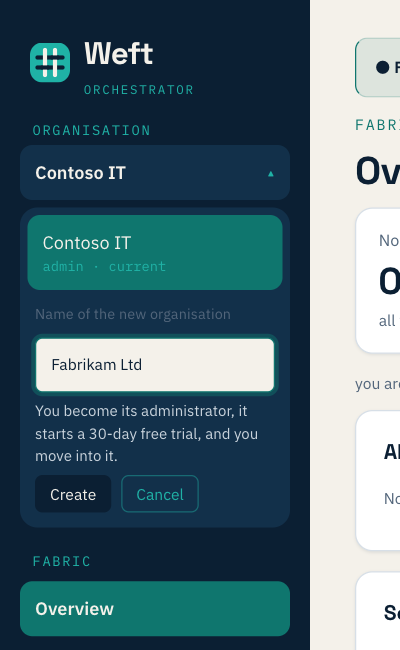
Create their organisation yourself. Under the organisation name at the top of the menu, choose New organisation. You become its administrator and it starts the same 30-day free trial as any new customer, so you can set up their sites before handing over.
Or be invited into theirs. A customer who already uses Weft invites you from their own Admin page, with whatever role they choose: viewer, operator or administrator. Being invited does not move you anywhere. The next time you sign in, their organisation simply appears in your list.
Moving between them
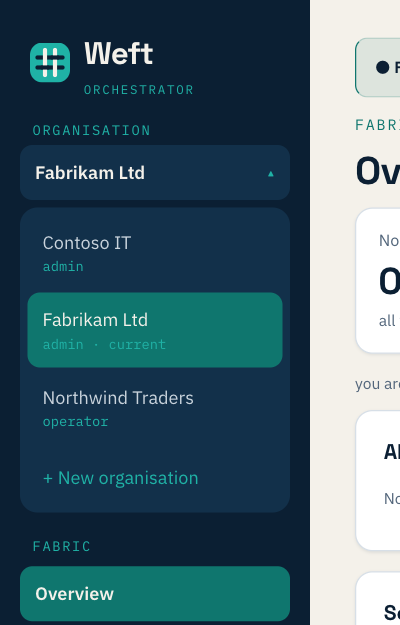
The menu shows every organisation you belong to and your role in each. Pick one and the console reloads into it, in about a second. When you next sign in, you land where you were last.
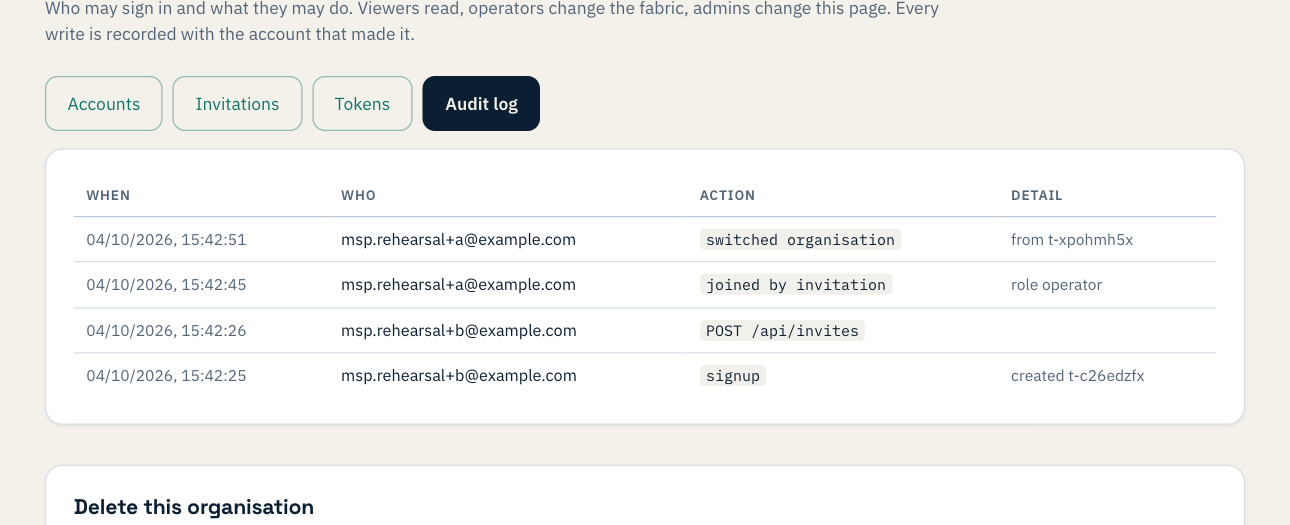
Your customer can see you come and go. Joining and every switch in or out is written to their audit log, under your own name.
The walls between customers
This is the part that matters, so here is what we checked, and how:
- A session belongs to one organisation. Switching does not widen it: the old session is ended and a new one is made for the organisation you chose, after checking again that you are a member there.
- You cannot ask for another customer's data. Signed into one customer, we tried every way we could think of to read another's: naming it in the address, in request headers, and asking to switch into an organisation we were not a member of. Every attempt returned the first customer's own data or a refusal, and the refusal is the same whatever the reason, so it does not reveal which organisations exist. There is also an automated test that fails the build if a session for one organisation can ever read another's.
- Removing you ends it at once. When the customer removed the provider from their organisation, the provider's open session there stopped working within a tenth of a second, the organisation left their list, and switching back was refused.
- Automation stays put. An API token belongs to one organisation and cannot switch.
- Your role is the customer's choice. While reviewing the code we found that an invitation accepted at sign-in could take the role your own organisation's settings gave you, rather than the one the customer chose. We fixed it before anything shipped, and a test now proves the customer's choice wins.
The walk-through also found two smaller things, both fixed: signing out now signs you out of the sign-in page as well, so the next person at a shared computer is asked for a password, and someone refused at sign-in now sees a proper page instead of a line of code.
What you need
Sign in with Google or with a Weft email and password. Accounts that sign in through a customer's own company login stay with that customer, by design. New organisations are limited to a handful a day, and each starts as a normal trial; if you look after several customers, talk to us about partner terms.