
Blog · Guide · · 4 min read
See every site and device, and cut one off in about a second
Every site and device in one view, then quarantine one or remove it. We measured how long that really took. It was nearly three minutes, so we changed it. Now it is about a second, including connections already open.
A question we were asked this week: is there a portal to see every endpoint and site, and can you revoke a site's or a device's access? Yes. But "can you revoke it" has a second question inside it: how quickly does revoking actually take effect? A laptop that has gone missing, or a contractor whose contract ended at 5 o'clock, should lose access when you press the button, not some time later.
So we measured it. The first answer was nearly three minutes. This post shows the console, what we found, what we changed, and the numbers now. As always, the test was real, run on 3 and 4 October 2026: two sites and a laptop, with cloud machines standing in for an office box and a staff laptop.
Every site and device, in one place
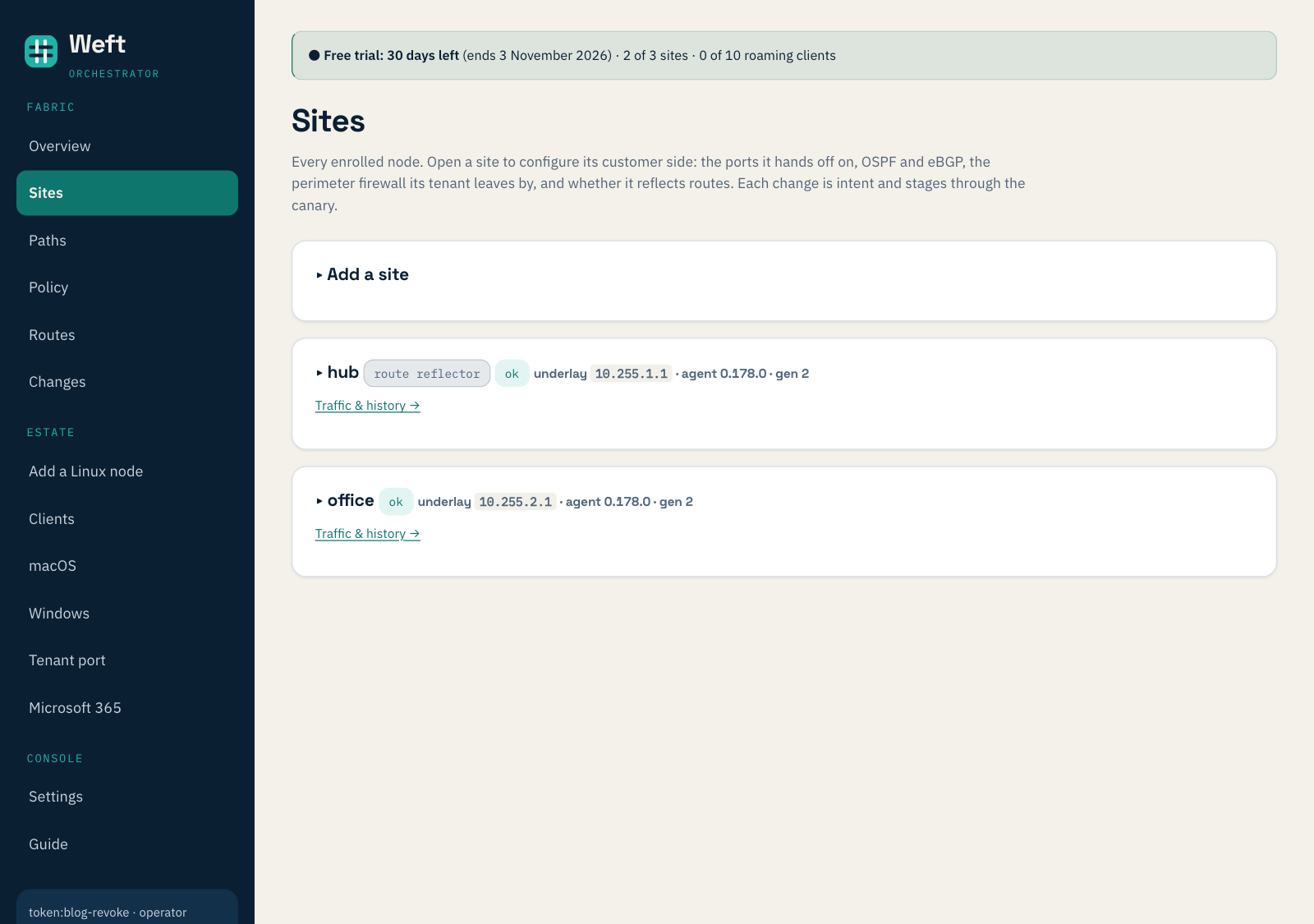
Sites lists every Weft box: whether it is healthy, its address inside the network and the agent version it runs. One of ours is the hub that laptops connect to.
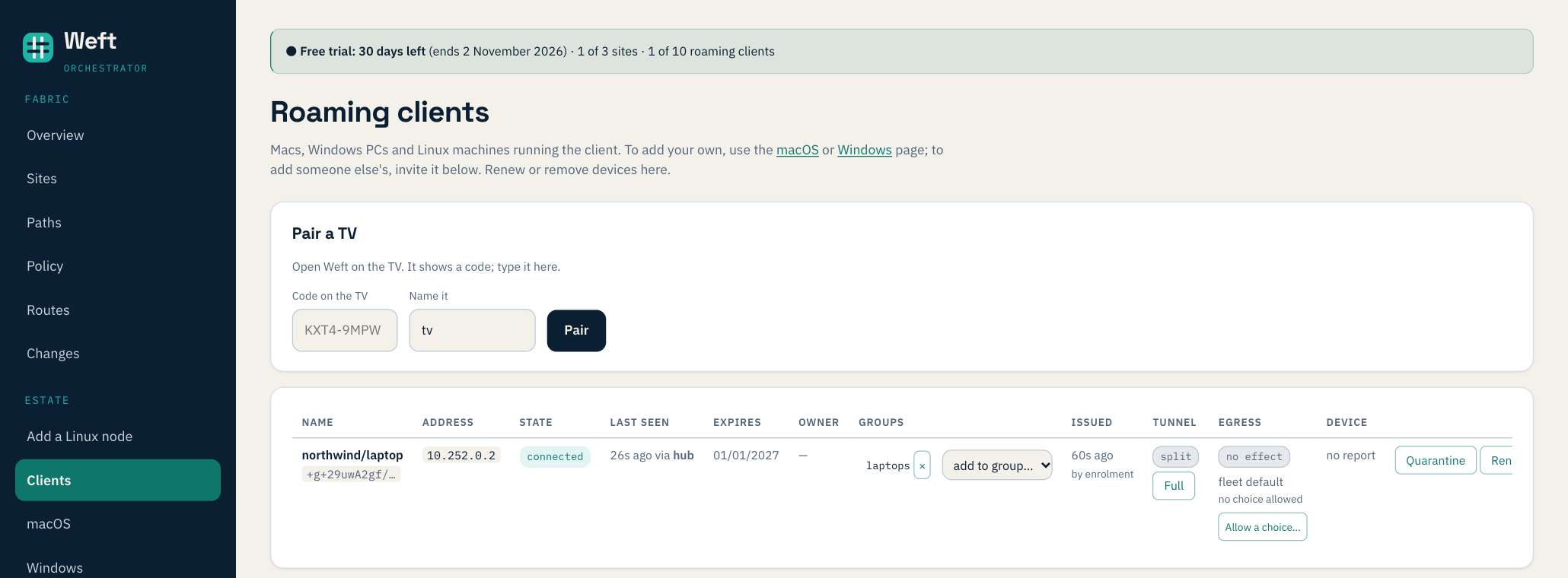
Clients lists every laptop and phone: its address, whether it is connected and through which site, when it was last seen, when its access expires, and which groups it is in. Groups are what your access rules refer to, such as "laptops may reach the office server".
Two ways to cut a device off
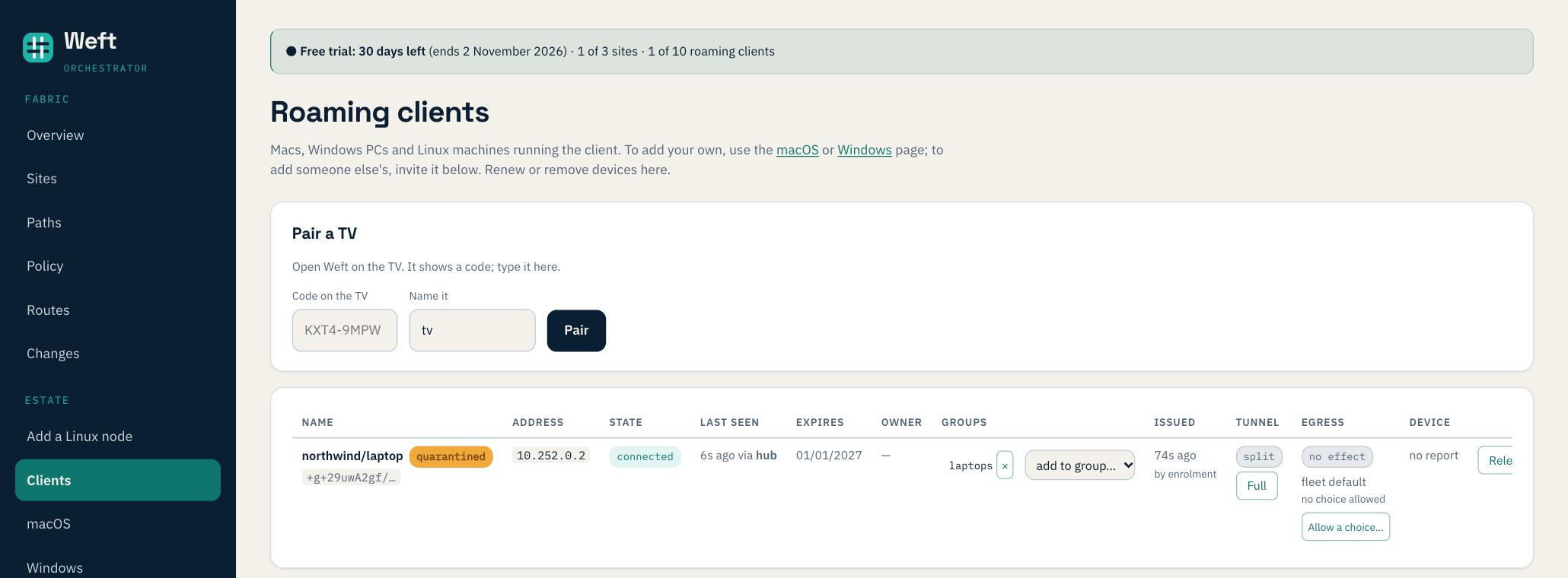
- Quarantine keeps the device enrolled but cuts it off from everything, connections already open included. Use it when you are not yet sure: a suspicious laptop, something to look at before deciding. Release puts it back.
- Remove deletes the device. Its key is dropped from the hub, so it cannot reconnect, and it is taken out of every group, so a new device later given the same name starts with no access at all.
Removing a site works the same way from the Sites page: its certificate is revoked and every other site drops it.
How long it took, and what we changed
For each test the laptop ran two things: a ping to a server at the office five times a second, and one long-lived connection sending a line every half-second. We timed from pressing the button to the last packet that got through. To be fair to the worst case, every action was taken just after the hub had checked in, which is when it would otherwise have the longest wait.
| Action | Before (3 Oct) | Now |
|---|---|---|
| Remove a laptop | 2 min 50 s | 1.2 s |
| Quarantine a laptop | 2 min 25 s | 1.3 s, open connection included |
| Quarantine, with policy switched off | no effect at all | 1.3 s |
| Release from quarantine | up to 58 s | 1.5 s |
| Remove a site | 28 s | 1.8 s |
Three things were slowing it down, and each is fixed:
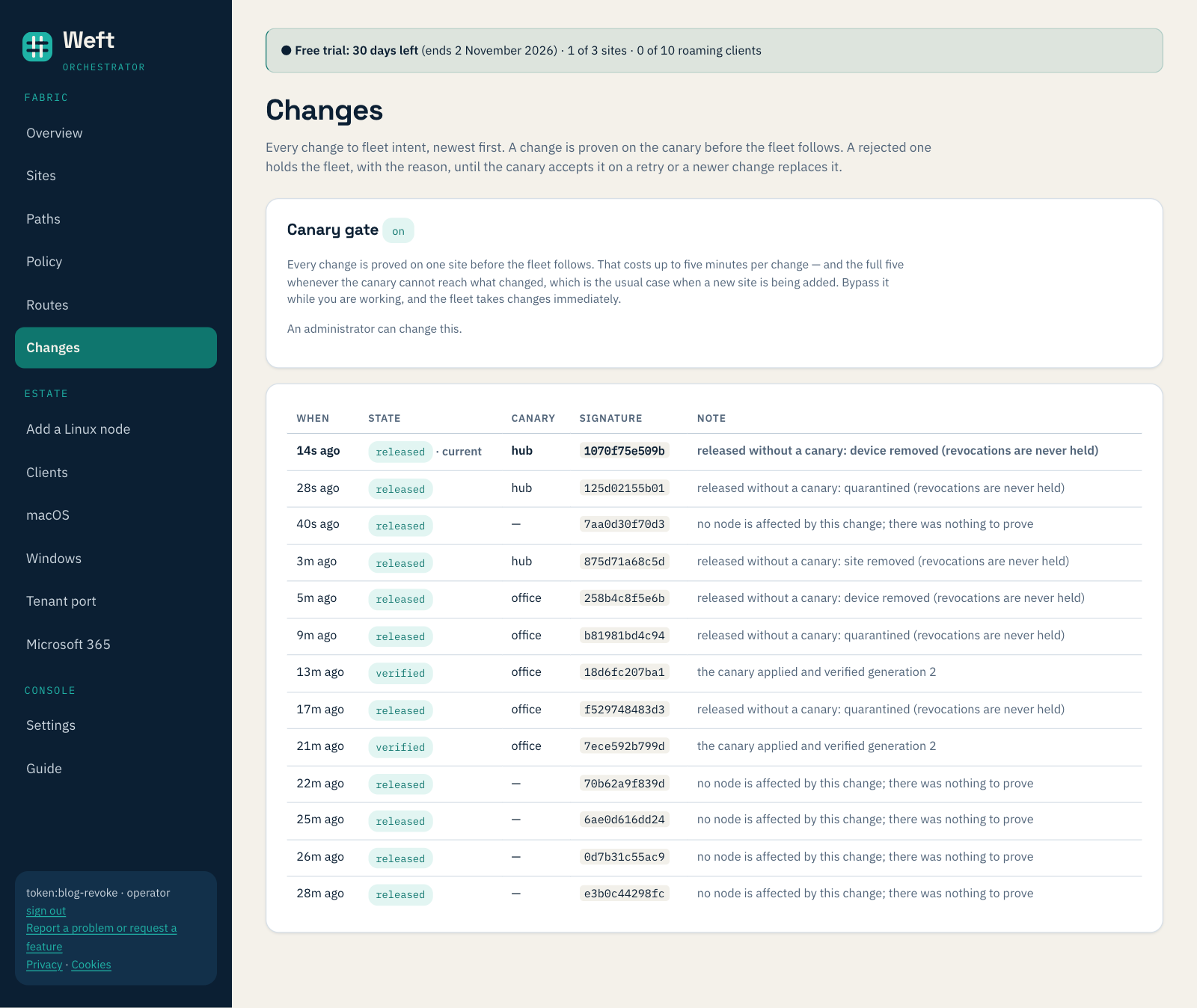
- The safety check was in the way. Weft tries every change on one site first and only sends it to the rest once that site is healthy. That protects you from a bad change, but a revocation only ever takes access away, and holding it back is the risky direction. It also tested the wrong site: the laptop connects through the hub, yet the change was proved on the office first. Revocations now go out to every site at once, and the Changes page says so.
- Sites only checked in once a minute. Each site now keeps a connection open to be told "something changed for you, fetch now". It still fetches through the usual path with every check, so the message can make a site ask sooner but can never configure it.
- Quarantine needed policy switched on. With policy off, which is how every new organisation starts, quarantine did nothing while the console showed the device as quarantined. Quarantine now works either way, and with policy off it blocks only the quarantined device, nothing else.
Two more things the test found
- A removed device's name kept its access rights. Groups refer to devices by name, and removing a device left the name in its groups. A new device enrolled under the same name inherited them. Removing a device now takes it out of every group first. We tested it again: the new device came back in no group and could not reach the office.
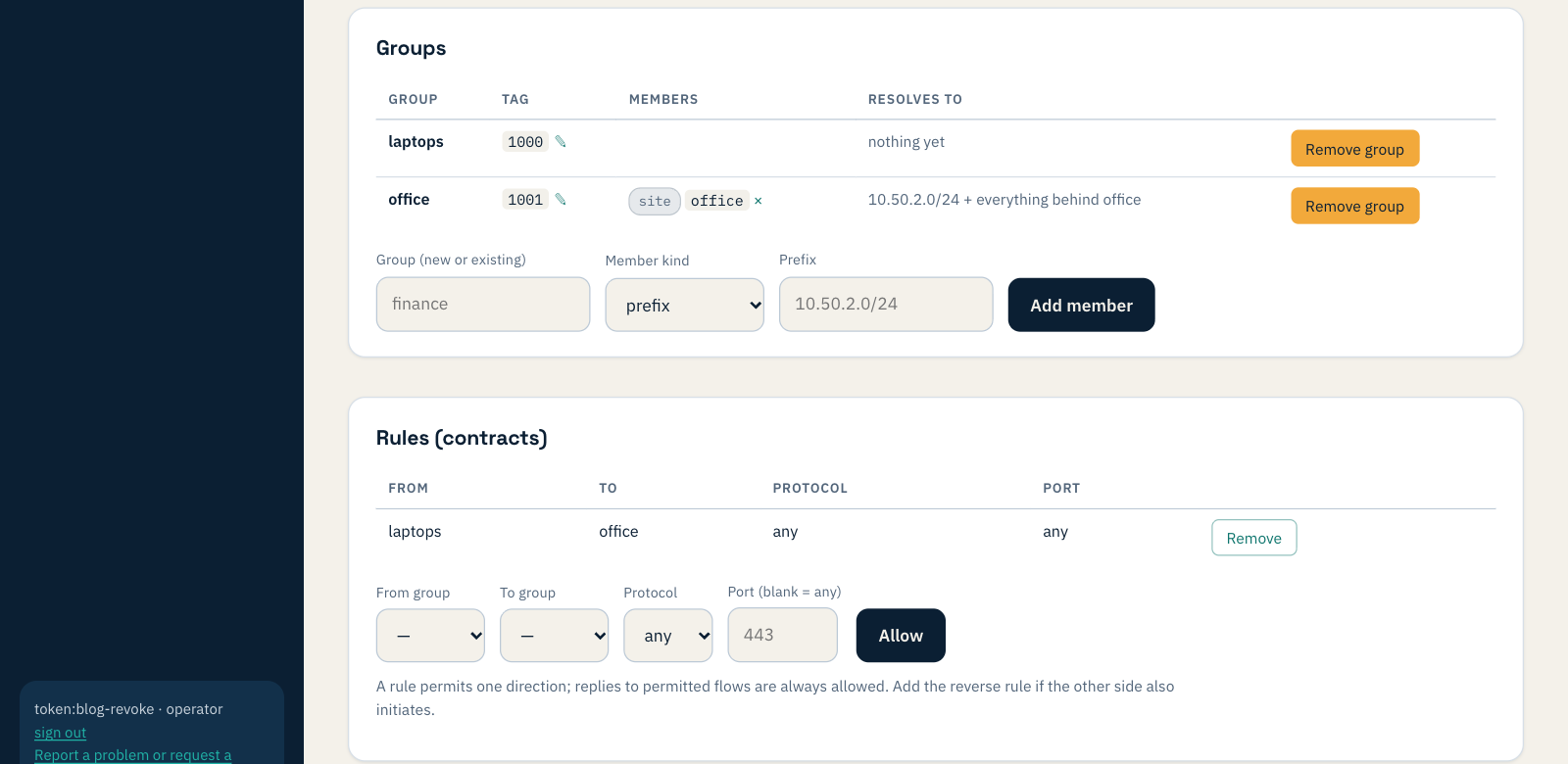
- A group emptied by a removal vanished from view while its rule stayed. An emptied group now stays visible with its rules, so nothing is hidden, and deleting a group deletes its rules.
What you need
Sites need Weft agent 0.178.0 or later for changes to arrive in seconds; sites on an older agent still get them, within about a minute. Nothing else to set up: the Sites and Clients pages are in every console, and quarantine and removal are a button each.