
Blog · Guide · · 3 min read
Two internet lines, and not one dropped request
Give an office a second internet line and Weft runs a tunnel over each. We cut line 1 while a PC asked the other office for a page every two seconds: sixty requests, none failed.
A second internet line, a 4G router or a cheap broadband line next to the leased line, is the usual insurance against an outage. It only helps if the network actually uses it when the first line fails, and quickly enough that nobody notices. This guide adds a second line to Weft and then pulls the first one while a PC is busy.
As always, a real run. Each office's Weft box had two internet connections, and a PC at office A asked a server at office B for a page every two seconds, throughout.
What you need
- Offices set up as in the earlier guides.
- A second internet connection on a second network port of the Weft box, at the office that should use one. The other offices need nothing extra: an office with one line takes the second tunnel on that line.
- UDP 51821 reaching each box, on every line, as well as 51820. If a box is behind a router, forward both.
1. Tell Weft about the second line
Open the site, and under Uplinks choose the second port as WAN 2. If the box can be reached from outside on that line, enter its public address and port 51821 as the WAN 2 endpoint; behind a router that cannot forward, leave it empty.
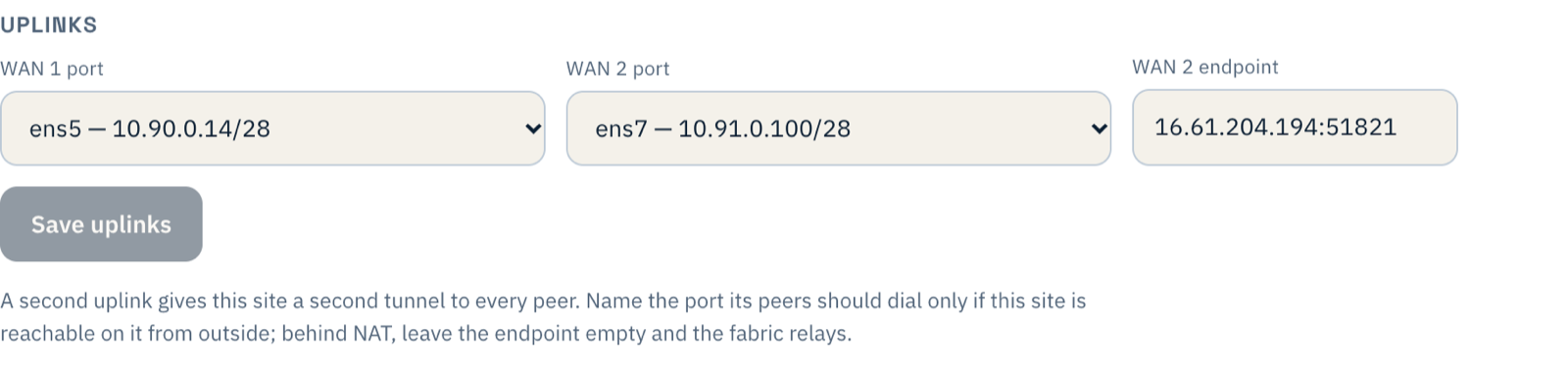
In our run we did the same at the other office, but it is not required: an office with one line answers the second tunnel on that line. Within a minute or two Paths shows two tunnels between them: wg0 over the first lines and wg1 over the second.
2. Pull line 1
We cut WireGuard off on office A's line 1 in both directions while the PC kept asking for its page. Every one of the sixty requests in the next two minutes was answered. Paths showed why:
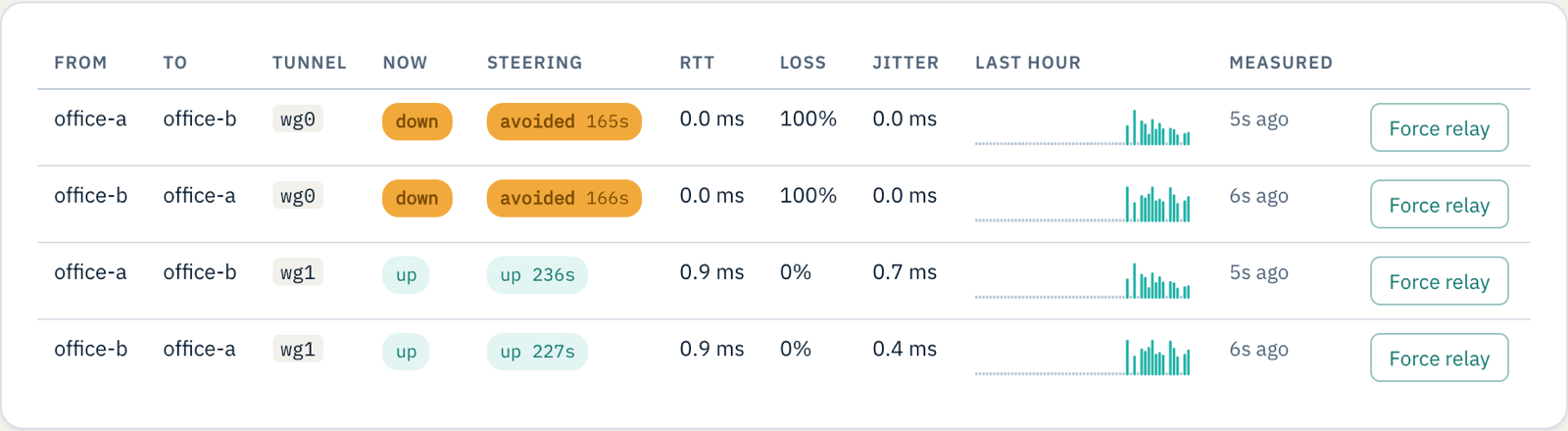
Weft measures every tunnel continuously and steers traffic away from one that is losing packets, so the move happens without waiting for anything to time out.
3. Put line 1 back
When line 1 came back, Weft did not jump straight back to it: a line that has just recovered is watched for a minute and a half or so before it is trusted again, so a line that is flapping does not drag traffic back and forth. The twenty-eight requests in that time were all answered too.
If something does not work
| What you see | What it means |
|---|---|
No wg1 in Paths | Neither office has a second line set under Uplinks. |
wg1 is listed but never comes up | UDP 51821 is not reaching one of the boxes, or the WAN 2 endpoint is wrong. |
wg1 goes down with line 1 | The second port has no address or gateway, so its tunnel has been leaving by line 1. Weft raises a warning that the line has no gateway. |
| Traffic stops when line 1 fails | Check Paths: if wg1 was already down, there was nothing to move to. |
What you have now
An office that rides out a failed line without anyone noticing, and a Paths page that tells you it happened.