
Blog · Guide · · 3 min read
Reach the network behind your office router
The CCTV, building controls or lab network sits behind a router on the office LAN, and the other offices cannot see it. One route in the console fixes that, with no OSPF or BGP to set up. Tested: the branch reached it in under a minute.
Most offices have a network that is not quite on the LAN: the CCTV recorders, the building's heating controls, a lab, an old phone system. It sits behind a router of its own, the office's PCs reach it because the office router knows the way, and the other offices see nothing at all. Weft already carries every office's LAN to every other office; this guide adds a network that sits behind one of them.
As always, a real run. Office A's LAN had a customer router at 10.91.0.69 with a "plant room" network, 172.16.5.0/24, behind it. A PC at the branch asked a web page on the plant-room network and one on the router itself every ten seconds.
What you need
- Offices set up as in the earlier guides, with office A's LAN on its Weft box (reach the printer at the other office).
- The router's address on that LAN, and the network behind it.
Before
branch PC plant room 172.16.5.1: no answer router 10.91.0.69: 200The branch reaches the router, because the router is on office A's LAN, but not what is behind it: nothing outside office A knows the way.
1. Tell the router the way back
The plant-room network will be sending replies to the other offices, so the router needs to send those through office A's Weft box. On ours, one line per office (and one for laptops working away):
ip route add 10.91.0.80/28 via 10.91.0.70     # the branch, via office A's Weft box
ip route add 10.252.0.0/24 via 10.91.0.70     # laptops working away
On a business router this is a static route in its web page, with the Weft box's LAN address as the gateway.
2. Add the route in Weft
Open Routes. Enter the network behind the router as the prefix, the router's LAN address as the next hop, choose customer network and the office it is at, then press Add.
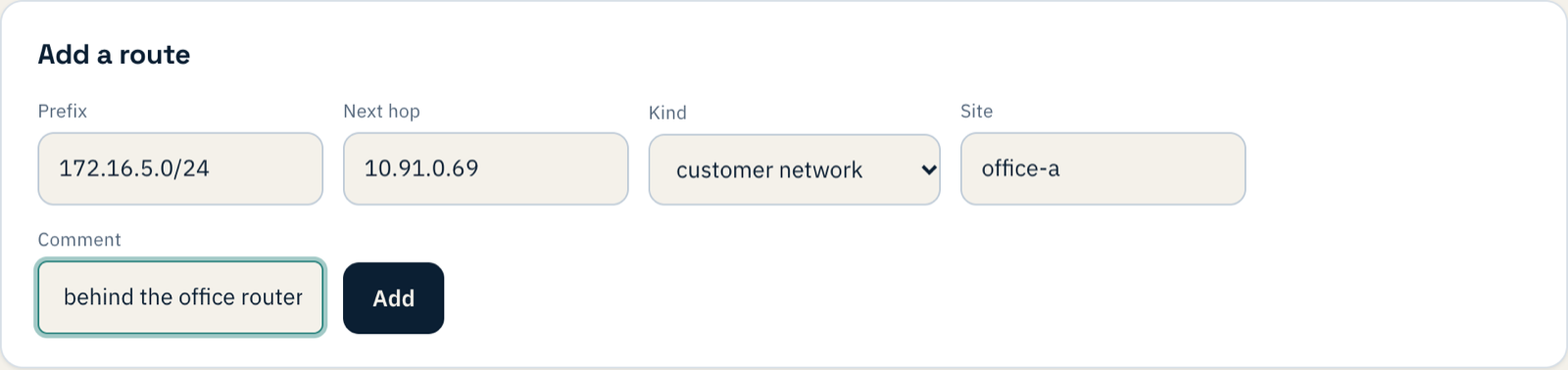

A customer network route is carried to every other office, the same way the office's LAN is. The other kind, system, stays on the one box, and is for the box itself.
Weft checks the next hop is actually on one of that office's LANs, so a typo is caught here rather than becoming a route to nowhere:

3. Try it
20:20:44  (route added)
20:21:31  plant room 172.16.5.1: no answer   router 10.91.0.69: 200
20:21:41  plant room 172.16.5.1: 200         router 10.91.0.69: 200
Under a minute. The change is tried on one site first and then goes to the rest, which is most of that minute.
When to use OSPF or BGP instead
A route like this is the right answer for one network, or a few, that rarely change. If the router has many networks, or they come and go, let it tell Weft itself: Weft can run OSPF or BGP with the router on that LAN, and whatever it announces reaches the other offices in the same way.
If something does not work
| What you see | What it means |
|---|---|
| The branch reaches the router but not the network behind it | The route is not there yet, or it names the wrong next hop. Check Routes. |
| Requests reach the network but never complete | The router has no way back to the other offices: step 1. |
| It worked, then stopped when you turned policy on | With policy enforced, everything needs a rule. Put the network in a group (a prefix member) and allow what should reach it. |
What you have now
A network that used to be reachable only from one office, reachable from all of them, with one route you can read and remove in the console.