
Blog · Guide · · 4 min read
Reach a camera recorder or a small server from outside, safely
Port forwarding, done the careful way: you must say who can connect, the page says where to connect, and we tested what happens when it goes wrong as well as when it goes right.
Sooner or later most offices need one thing on the inside to be reachable from outside: the camera recorder the security company checks, a small web or mail server, a supplier's system that has to call in. On an ordinary router that is a port forward, and port forwards are where a lot of small networks quietly become less safe than their owners think. The usual failure is not the forward itself. It is a forward open to the whole internet that nobody remembers adding.
Weft can now do it, under the name Published services, and the design starts from that failure. As always, we tested it for real, on 4 October 2026: two sites in AWS, a web server behind one of them, and outside machines to connect from, some allowed and some not.
What it does
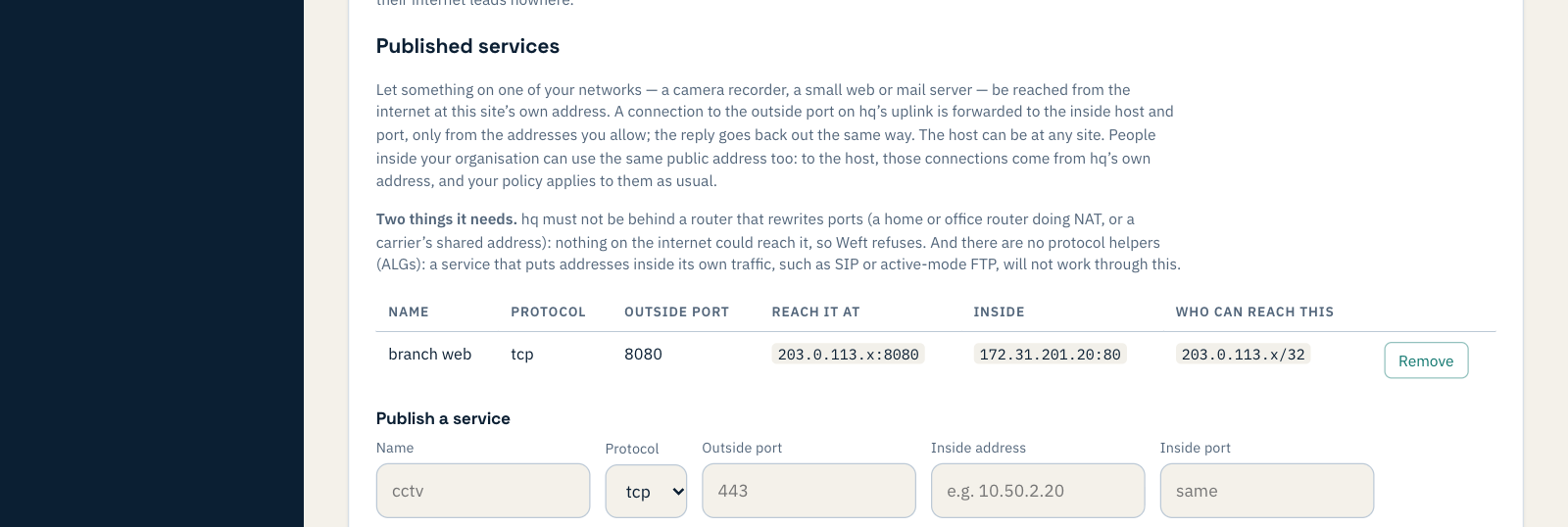
On the site that is your internet exit, open Published services and add one: a name, the outside port, the inside address and port, and who may connect. A connection to that port on the exit's own internet address is passed to the inside machine, which can be on any of your sites. The reply goes back out the same way.
You have to say who can connect
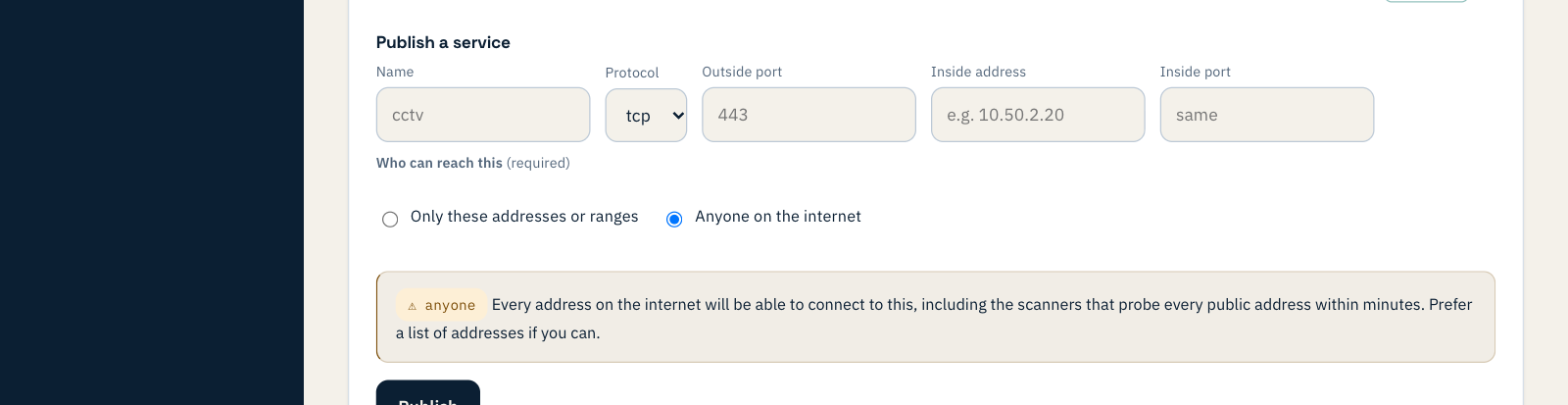
There is no default. You either list the addresses or ranges that may connect, such as the security company's office, or you choose Anyone on the internet on purpose. Choosing it asks you to confirm, and says plainly what it means.
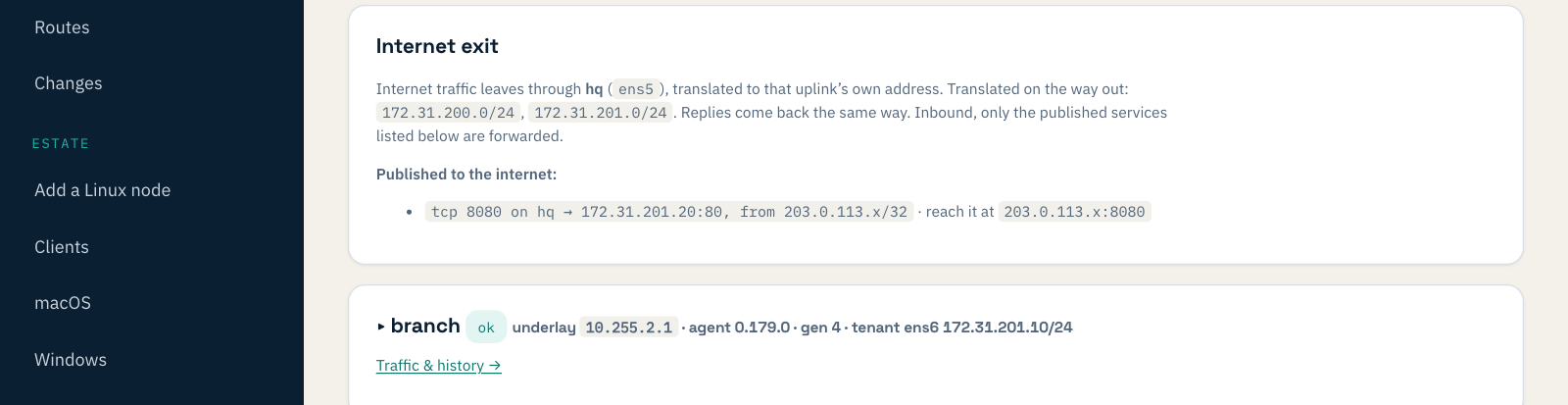
Every published service is also listed at the top of the Sites page, so nobody has to open a site to find out what the internet can reach.
A few things are refused outright, each with a message saying why and what to do instead: publishing from a site that is not the exit, using a port Weft itself needs on that line (its tunnels, or SSH on port 22, where it suggests another outside port), pointing a service at an address that is not on one of your networks, or at a Weft box itself.
What we tested
A web server behind the branch office, published through the head-office exit on port 8080, open to one outside machine only:
| Test | Result |
|---|---|
| From the allowed machine | served, about 5 s after pressing Publish |
| From a machine not on the list | refused at once |
| What the server saw | the visitor's real address, so its own logs stay useful |
| Open to anyone, then removed | reachable from both machines, then from neither, each within about 5 s |
| From inside the network, using the public address | works, from either office |
| Policy set to enforce, no rule to the internet | still served: replies to a published service are allowed |
| The server quarantined | cut off within about 11 s; back within 2 s of release |
The last row matters: publishing a machine does not put it outside your rules. Quarantine still cuts it off, from the internet as well.
What went wrong, and what we changed
The test that found something was the unhappy one. Weft sites run an agent that we update, and a published service needs a recent one. We put the exit back on the previous agent and removed a service in the console. The console said it was removed. The port stayed open: the old agent did not know about published services, so it left the rules a newer one had installed exactly where they were. A service added at that point was listed as normal and never set up at all.
That is the worst kind of fault for this feature: the page saying a door is closed when it is open. Now:
- a service can only be published from an exit running an agent that forwards it;
- a service on an exit with an older agent is marked not forwarded, with a warning that a removed one may stay open;
- an exit that publishes services cannot be pinned to an older agent;
- and removing a service is refused while the exit cannot actually withdraw it, so the row and its warning stay until it is upgraded.
We ran the journey again on a new organisation to check the first three, by every route we could find to an older agent. That run found one more route, setting the whole organisation back to the older agent, where a removed service still stayed open. The fourth change is the answer to it, because every route to an older agent ends at the same place: removing the service.
Two things it needs
- The exit must have a real internet address. If it sits behind another router that translates addresses, such as a home router or a carrier's shared address, nothing on the internet can reach it, and Weft refuses rather than pretending.
- No protocol helpers. Services that put addresses inside their own traffic, such as SIP phones or old-style FTP, will not work through this. For those, use a provider that is built for them.
It needs Weft agent 0.179.0 or later on the exit; nothing else to install.