
Blog · Guide · · 5 min read
Where your internet leaves, and what gets translated on the way
Every network has to answer two questions: where does internet traffic leave, and who translates the addresses? The console now answers both in one place, including a to-do list for your firewall that we tested by following it word for word.
Every network has to answer two questions about the internet: where does the traffic leave, and who translates the addresses on the way out? Your offices use private addresses, the internet does not route them, so something at the exit has to swap them for a public address and swap the replies back. That something is NAT, and when it is in the wrong place, or missing, the symptom is the least helpful one there is: nothing loads, and nothing says why.
Weft gives you two ways out. Until this week the console described them in two separate cards on each site, and neither said which of your networks was actually being translated. Now there is one answer for the whole organisation, at the top of the Sites page. As always, we tested it for real, on 4 October 2026: a fresh organisation with two sites in AWS, a PC behind one of them, a laptop connecting from outside, and a small Linux firewall.
Two ways out
Open a site and, under Internet exit, choose one of three:
- Not an exit. The site's internet goes wherever the organisation's exit is.
- This site is the exit. Internet traffic from every site and every roaming laptop leaves through this site's own internet line, translated to that line's address. You need nothing but the site.
- Hands traffic to our firewall. Traffic is handed to your own firewall with its real addresses, untranslated, so the firewall can see who is who. The firewall does the translating.
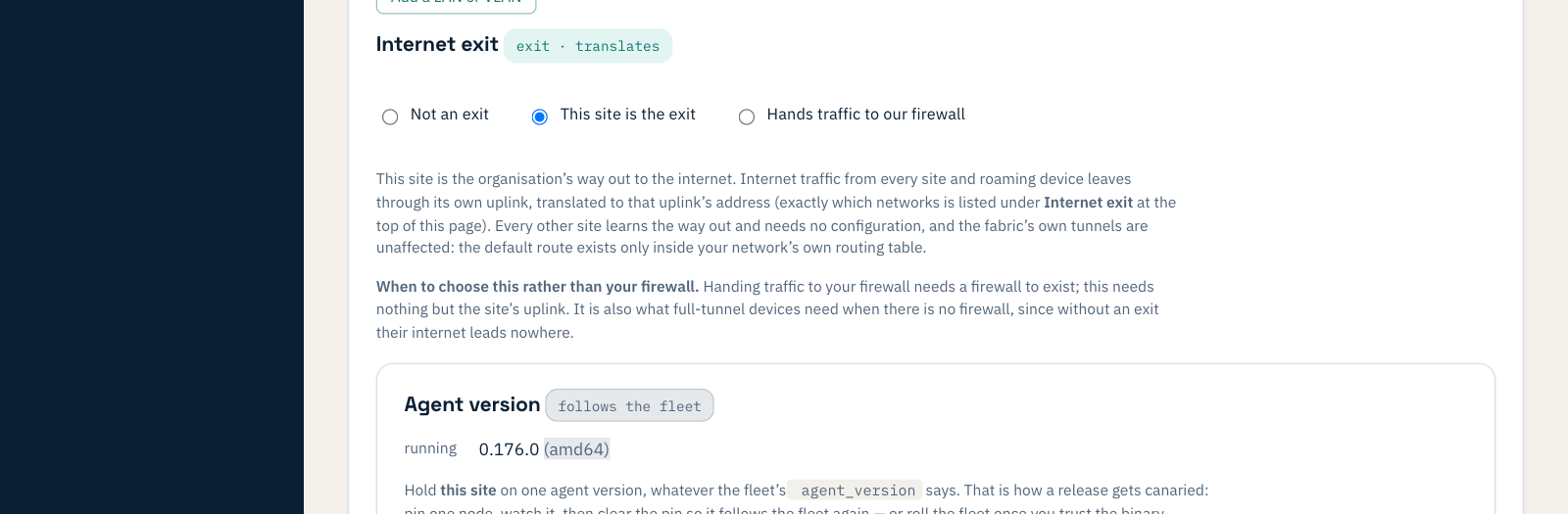
Every other site learns the way out by itself and needs no setting. A site is one kind of exit at a time: asking it to be both is refused, with a message that says what to do instead.
What the page tells you
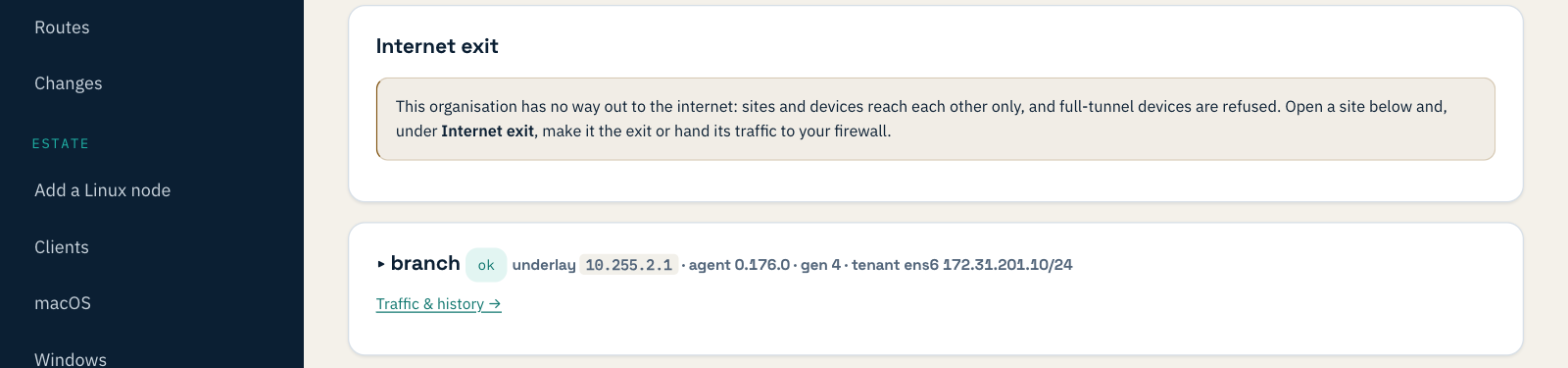
No way out yet. A new organisation starts here, and the page says so rather than leaving you to discover it. Laptops set to send all their traffic through Weft are refused while there is no exit, because they would lose the internet altogether, including the connection they would need to be put right.
A site is the exit. One sentence says which site, which line, and exactly which networks are translated, roaming laptops included. The list is computed by the same code that tells the site what to translate, so the page cannot say one thing while the box does another.
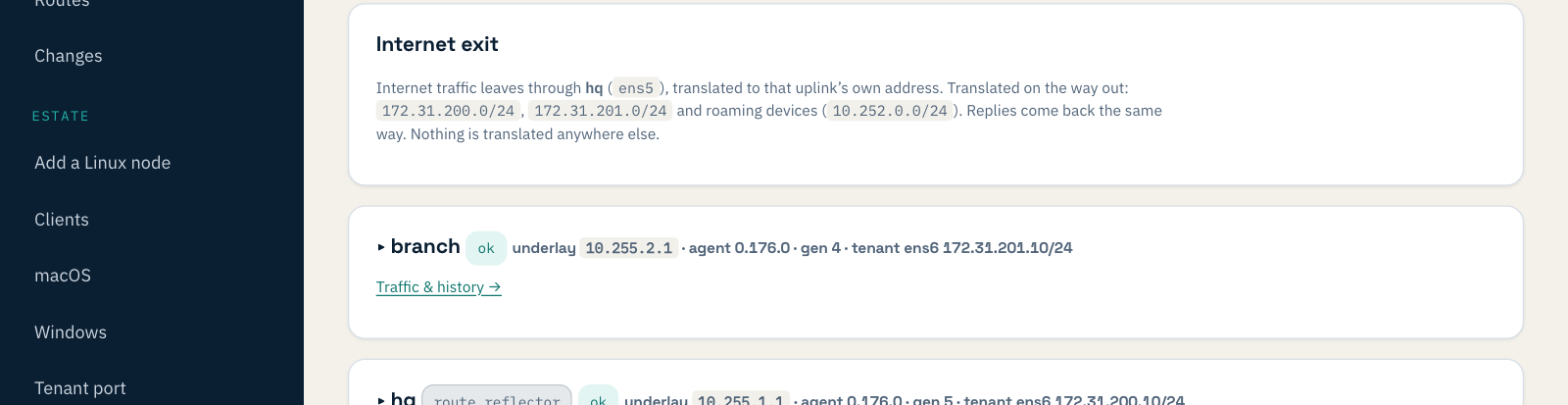
We checked the sentence against reality. A PC behind the branch site, the branch site itself and a laptop connecting from outside all asked a what-is-my-address service, and all three got the head-office site's public address.
Your firewall is the exit. Weft translates nothing on this path, which is the point of handing traffic to a firewall: it sees real addresses. But that means the firewall has work to do, and until now the list of what lived in a runbook. It is now on the page, filled in with your own addresses, with a button to copy it for whoever runs the firewall.
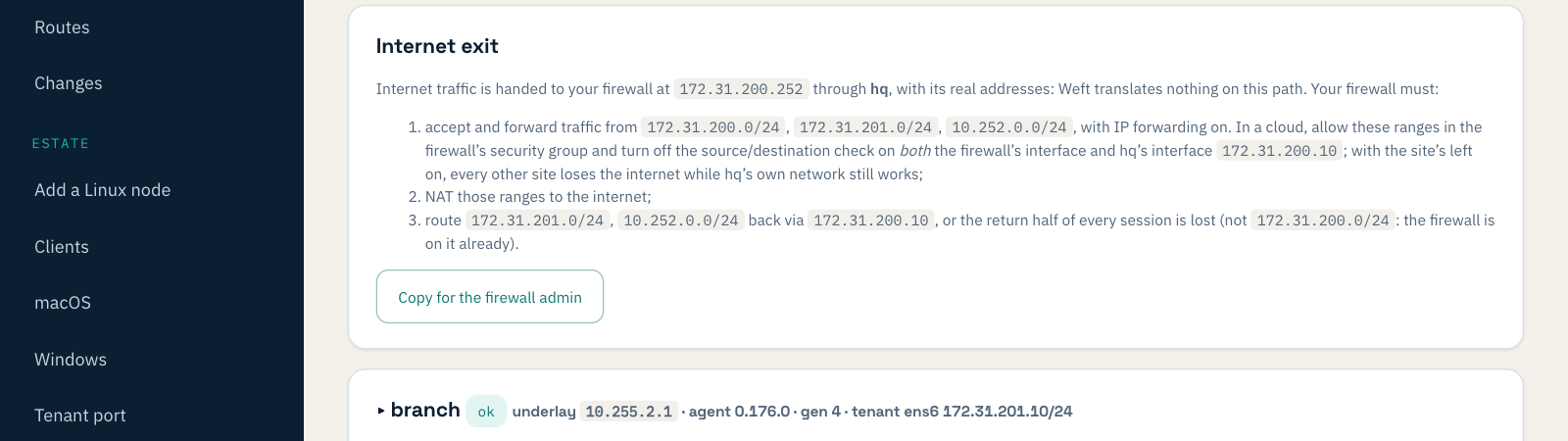
This is what the button copies:
Weft hands this firewall internet traffic from site hq (172.31.200.10), with the original source addresses.
1. Accept and forward traffic from: 172.31.200.0/24, 172.31.201.0/24, 10.252.0.0/24. IP forwarding must be on.
   In a cloud: allow these ranges in the firewall's security group, and turn OFF the source/destination check
   on BOTH the firewall's interface and the Weft site's interface 172.31.200.10.
2. NAT those ranges to the internet.
3. Route them back via 172.31.200.10:
     172.31.201.0/24 via 172.31.200.10
     10.252.0.0/24 via 172.31.200.10
   (Not 172.31.200.0/24: the firewall is on that subnet already.)
We followed the list word for word
The test that matters for a checklist is whether someone can follow it without knowing anything else. So we stood up an ordinary Ubuntu machine as the firewall and configured it, and the cloud settings around it, from the copied text and nothing more.
The first run worked first time. It also showed two things the list got wrong, and both are the kind that cost an afternoon:
- It only talked about the firewall. In a cloud, the Weft site's own interface also has to be allowed to pass traffic that is not addressed to it. Left at the cloud's default, every other site lost the internet while the head-office site's own network kept working, so a quick test from head office would have passed. The list now says so, and names the interface.
- It told the firewall to route its own subnet back via the site. Followed literally, that route outranks the firewall's own connection to that subnet and sends its local traffic on a detour. The firewall's own subnet is now left out, and the list says why.
We fixed both and ran the whole journey again on a new organisation, this time leaving every cloud setting at its default and doing only what the list said. Before the firewall was configured, nothing reached the internet and the laptop could not even look up a name. Six seconds after the last step, the PC, the branch site, the laptop and the head-office site all reached the internet as the firewall's public address.
| Change | Who checked | Internet seen as | Click to working |
|---|---|---|---|
| No exit | PC, branch site | nothing: timed out | — |
| Head office is the exit | PC, branch site, laptop | head office's address | 20 s to a minute |
| Hand to the firewall, before following the list | PC, branch site, laptop | nothing: timed out | — |
| … after following the list | PC, branch site, laptop, head office | the firewall's address | 6 s after the last step |
Two exits at once
Nothing stops one site being the exit while another hands traffic to a firewall, and there are rare reasons to want it. Each site then uses whichever is nearer, which is a decision nobody actually made, so the page says so.
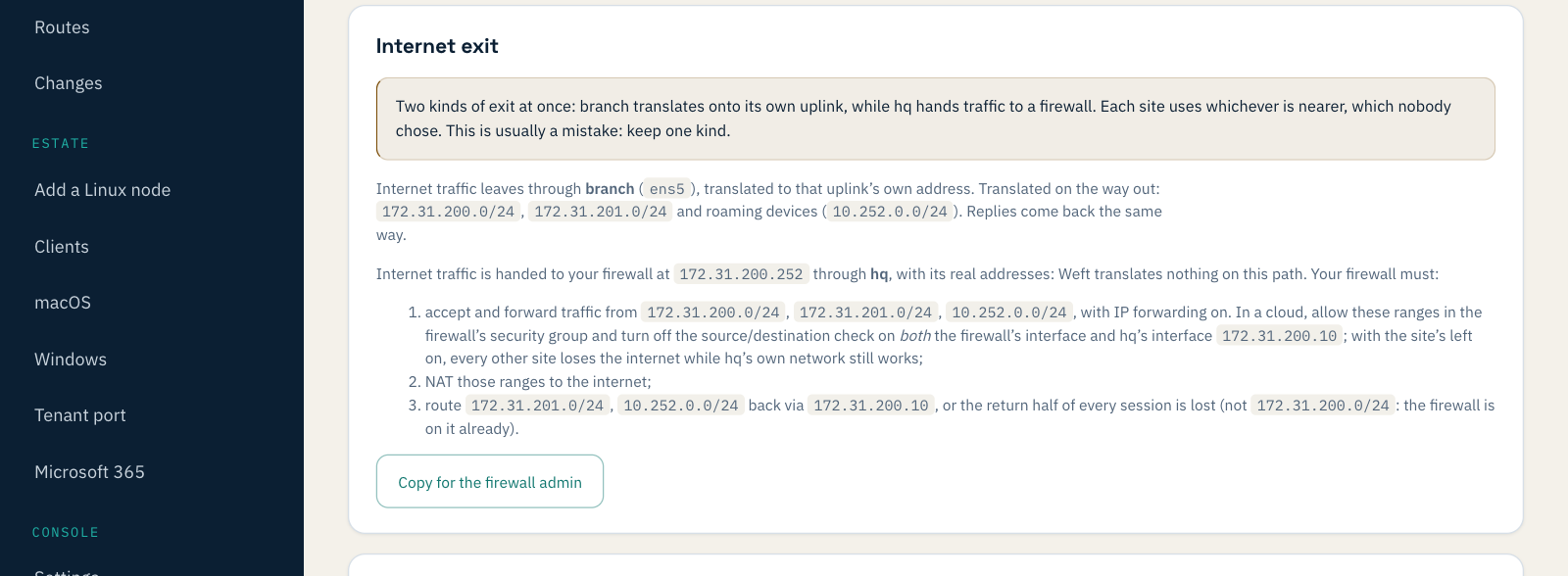
In the test, the PC behind the branch moved to the branch's own address within a minute, and back to the firewall within a minute of undoing it.
What you need
Nothing to install: this is in every console now, and works with the sites you already have. If you hand traffic to a firewall, the head-office firewall post walks through that set-up end to end, and nearest internet exit covers organisations with more than one.