
Compare · NetBird and Tailscale
NetBird, Tailscale or Weft?
All three are built on WireGuard. NetBird and Tailscale are excellent at connecting people and devices to each other. Weft starts from the other end: it connects offices and the networks inside them. This page sets out what each does, using each product's own documentation, and says plainly where NetBird or Tailscale is the better choice.
The short version
- Choose NetBird if you want a device-to-device network you can run entirely on your own servers, with open-source code for both the client and the management service.
- Choose Tailscale if you want people and devices connected with very little setup, including phones, and a free plan for up to six users.
- Choose Weft if what you need joined is offices: each office's whole network behind one gateway, routes exchanged with your existing routers, internet traffic leaving where you choose, and changes tried on one site before the rest.
NetBird and Tailscale, side by side
The two are close in what they do. The clearest differences are how much of each you can run yourself, and how they charge.
| NetBird | Tailscale | |
|---|---|---|
| Free plan | Up to 5 users and 100 machines | Personal: up to 6 users, unlimited user devices |
| Paid plans | Team €6 and Business €12 per user a month; 100 machines plus 10 per user, then €0.50 per extra machine | Standard $8 and Premium $18 per user a month; user devices are unlimited on every plan |
| Open source | Client BSD-3; management, signal and relay services AGPLv3 | Client open source; coordination server closed source |
| Run the control plane yourself | Yes, with an official self-hosting guide | No official self-hosted edition. Clients can point at a different control server; Tailscale describes Headscale as a community project it does not support |
| Reaching devices that cannot run the client | A routing peer on that network; by default it rewrites the source address, so the network needs no return route | A subnet router; source address rewriting is on by default, and site-to-site use has the network's devices route the other site's addresses via it |
| Internet through another machine | Exit nodes | Exit nodes |
| When there is no direct path | NetBird's relay service | DERP relay servers, or a peer relay you run |
| Phones | iOS and Android apps | iOS and Android apps |
| Access rules | Policies between groups; the default policy allows all peers to reach each other; posture checks | ACLs or grants in a policy file; with no rules section, everything is allowed |
From NetBird's pricing, GitHub repository, self-hosting guide, Networks, exit node, how NetBird works and access control pages, and Tailscale's pricing, open source, custom control server, subnet router, site-to-site, exit node, DERP, peer relay, installation and access control pages, all checked on 4 October 2026. NetBird prices are in euros and Tailscale's in US dollars, as each publishes them. If something here has changed, tell us at support@weftnetworks.com and we will correct it.
Where Weft is different
NetBird and Tailscale put a client on each device, and add a gateway for the networks that cannot run one. Weft puts a gateway in each office and treats the office network as the thing being connected; laptops away from the office use an app.
| Weft | NetBird and Tailscale | |
|---|---|---|
| The unit you connect | A site: one Ubuntu 24.04 machine per office, which becomes that office's gateway | A device, with a gateway machine for networks that cannot run the client |
| Office devices on the other side | Routed with their own addresses; the Weft box can be the office's gateway, with DHCP and VLANs per network | Reached through the gateway, which rewrites addresses by default |
| Your existing routers | Exchange routes over OSPF or eBGP | Tailscale's documentation says it uses static route selection, not dynamic routing. We found no OSPF or BGP in NetBird's documentation; there is an open request for it (issue 1682) |
| Layer 2 | Stretch a layer-2 segment between sites | NetBird's own comparison lists it as layer 3 only; we found no layer-2 option in Tailscale's documentation |
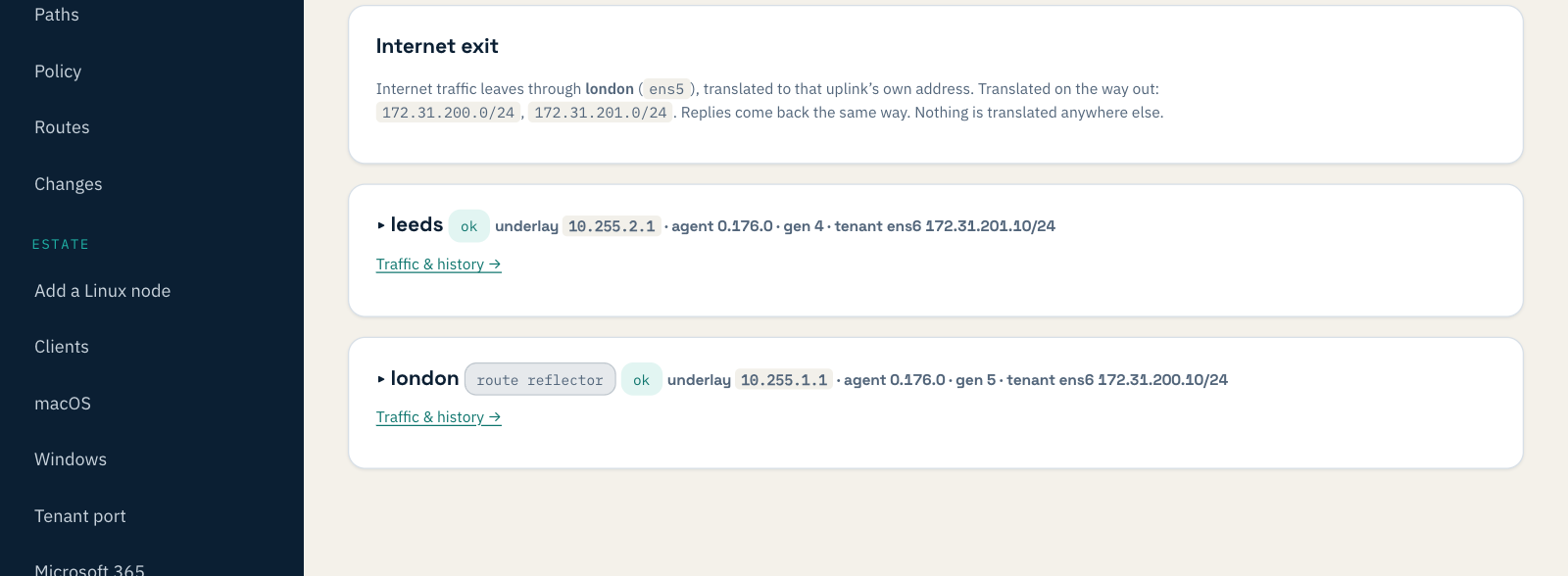
| Internet traffic | Leaves through a site you choose, or is handed to your own firewall with a checklist for its administrator; Microsoft 365 can leave locally | Exit nodes |
| When there is no direct path | Traffic meets at a hub that is one of your own sites | A relay the vendor runs, or one you run |
| Phones | No: apps for macOS, Windows and Linux | iOS and Android apps |
| Self-hosting | No: a managed service, run in AWS London | NetBird: yes. Tailscale: no official edition |
| Pricing | £30 per site and £4 per roaming client a month, excluding VAT; no free plan beyond a 30-day trial | Per user, with a free plan |
Where NetBird or Tailscale is the better choice
- You want to run it all yourself. NetBird's management, signal and relay services are open source and can be self-hosted. Weft is a managed service only.
- Phones and tablets. Both have iOS and Android apps. Weft's apps are for macOS, Windows and Linux.
- A small team with no offices. Tailscale is free for up to six users and NetBird for up to five. Weft has no free plan after the trial.
- Device-to-device access. Reaching one colleague's machine, a home lab, or a single server from anywhere is what both are designed around.
- Choice of sign-in. Tailscale lets you sign in with a range of identity providers, and self-hosted NetBird works with many, including any OpenID Connect provider; with Weft, your own provider is arranged with us.
Where Weft is the better choice
- Whole offices, not just devices. Printers, phones and tills reach the other office through the office's gateway, with their own addresses, and you can see it working on one page. Our two-office test went from the first click to a PC loading a page from the other office's printer in 9 minutes 3 seconds.
- Existing routers. OSPF and eBGP mean new networks appear on both sides without editing static routes.
- Where the internet leaves. Choose one site as the exit, or hand traffic to your own firewall with a to-do list for whoever runs it.
- Safe change. Changes reach one canary site first, and upgrades roll back by themselves if a site does not come up.
- Pricing by office. With many people and few offices, £30 per site can cost less than per-user pricing; with few people, the per-user plans cost less. Work it out for your own numbers on the pricing page.
Using them together
They do not conflict. You can join your offices with Weft and keep NetBird or Tailscale for individual developers reaching individual machines. There is a closer look at one of them in Weft vs Tailscale.