
Blog · Guide · · 3 min read
Your cloud VPC as just another office
Put a small Weft box in your AWS VPC and the private servers there become reachable from the office and from laptops, with no VPN gateway, no public addresses on the servers, and two route-table entries. Tested.
The usual way to connect an office to a cloud network is a site-to-site VPN gateway: one more thing to pay for by the hour, configure on both ends and keep in step with everything else. With Weft the VPC is simply another site. A small instance in the VPC enrols like an office box, and the servers behind it stay exactly as private as they are now.
As always, this is a real run in AWS's London region. An "orders API" server with no public address sat in a private subnet, and a PC at the office tried it every ten seconds.
What you need
- An office set up as in the first guide, with its own network behind its box (tenant port).
- A VPC with a public subnet (for the Weft box's way out) and your servers in their private subnet.
- Permission to launch an instance and edit the private subnet's route table.
1. Launch a small Weft box in the VPC
An Ubuntu 24.04 instance in the public subnet, with a public address. Ours was a t3.small. Its security group needs only UDP 51820 inbound. No SSH, and nothing else.
Enrol it with the console's Add a Linux node command, run on the instance once it is up. Without SSH, AWS Systems Manager's Session Manager gives you a shell to paste it into. In our run the office and the VPC found each other as soon as both had enrolled.
2. Give it a port on the servers' subnet
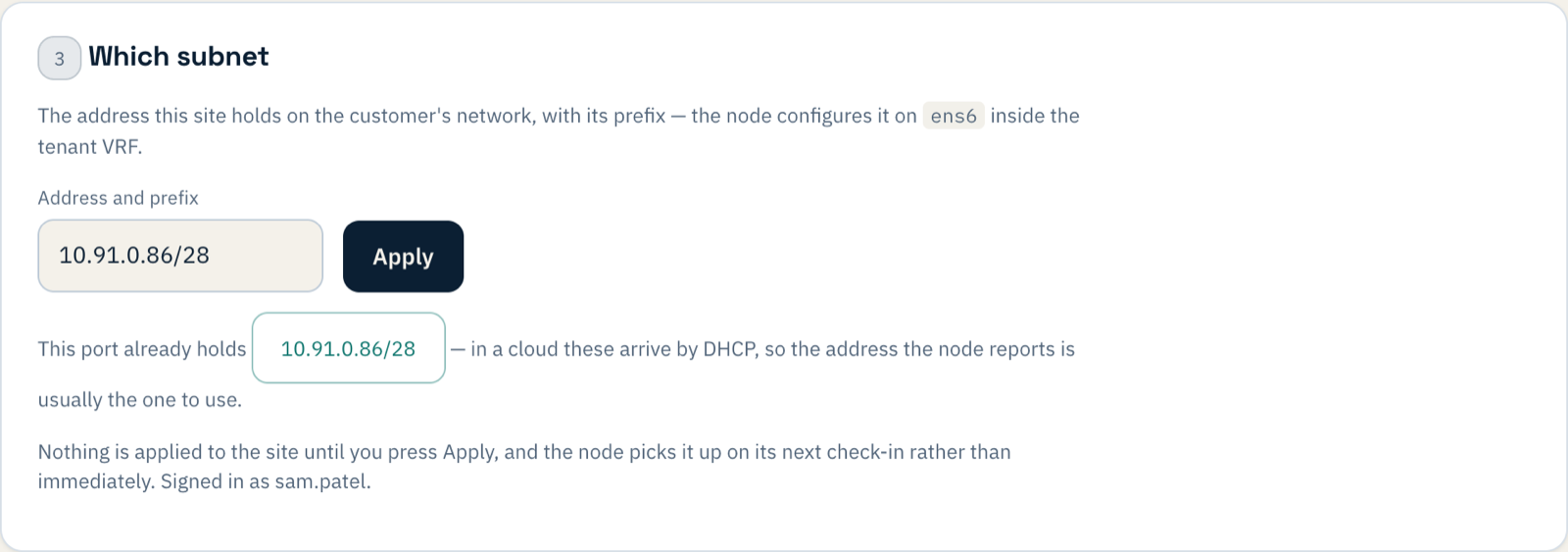
Create a second network interface in the private subnet, attach it to the instance, and turn off its source/destination check: the box forwards traffic for other machines, which AWS blocks by default. Then, in the console, set the box's WAN 1 port to its first interface (ens5) and open Tenant port:

3. Two route-table entries
The private subnet's route table needs to know that the office is reached through the Weft box. Add, with the box's private-subnet interface as the target:
10.91.0.64/28   (the office network)        → the Weft box's interface
10.252.0.0/24   (laptops working away)      → the Weft box's interface
And let those ranges into the servers' security group, on the ports they serve. Nothing on the servers themselves changes: no agent, no public address, no new software.
4. Try it
The office PC, trying the orders API every ten seconds, timed out until the change reached both boxes and then, about two minutes after Apply:
13:46:35 orders API in the VPC: 200 in 0.009 s {"service":"orders-api","status":"ok"}The VPC is now a site like any other on the Overview:
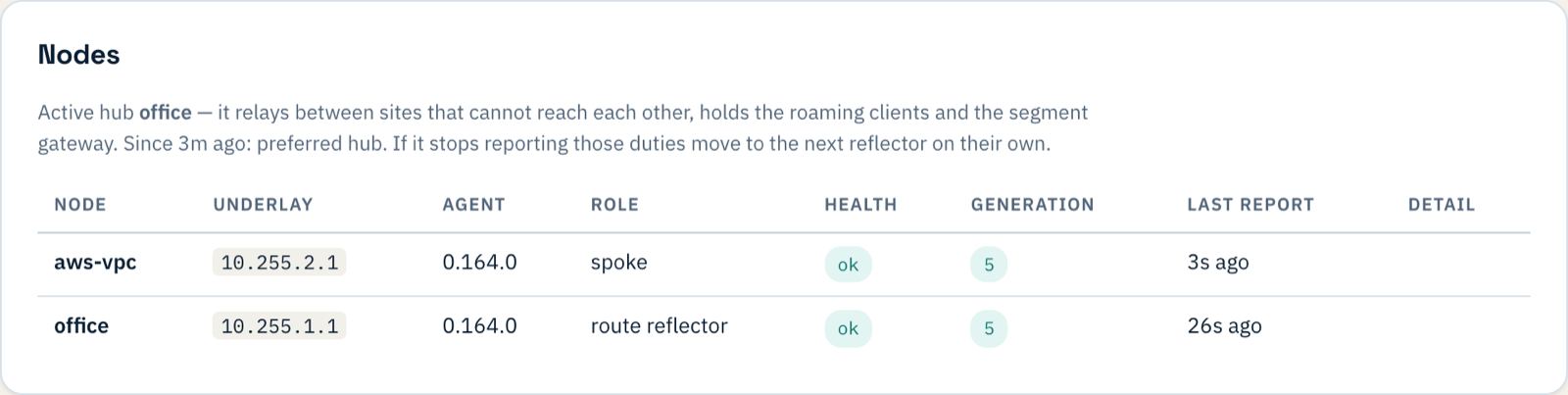
Our office and VPC were in the same AWS region, so 9 ms is mostly the server. Between a real office and a cloud region expect whatever the internet between them gives you; the global WAN post has measured figures across continents.
If something does not work
| What you see | What it means |
|---|---|
| The box enrols but the office cannot reach the servers | The route-table entries (step 3) are missing, or point at the wrong interface. |
| Requests start but never finish | The source/destination check is still on for the box's private-subnet interface (step 2). |
| Timeouts to one server only | That server's security group does not allow the office's range. |
| Tenant port refuses every interface | Set the box's WAN 1 port first (step 2). |
What you have now
Your private cloud servers reachable from the office and from laptops working away, with no VPN gateway to pay for and nothing exposed to the internet but one UDP port on one small instance. A second VPC, or another cloud, is the same steps again.