
Blog · Guide · · 2 min read ·
See what your network policy blocked, and allow it in one click
Deny-by-default policy is right, and silent when it bites. Weft's policy page now lists the flows the policy refused, grouped the way you think, with an Allow this button that fills in the rule. Shown on a real network.
A deny-by-default policy is the right way to run a network: between your sites and devices, nothing passes unless a rule says it may. It also has a familiar failure. Someone moves a printer, a new server goes in, and on Monday "it has stopped working". The connection was refused, quietly, and the morning goes on finding out which rule was missing.
Segmentation only survives if people can see what it is doing. So Weft's policy page now shows what the policy refused, and lets you allow it from the same place.
What the policy denied
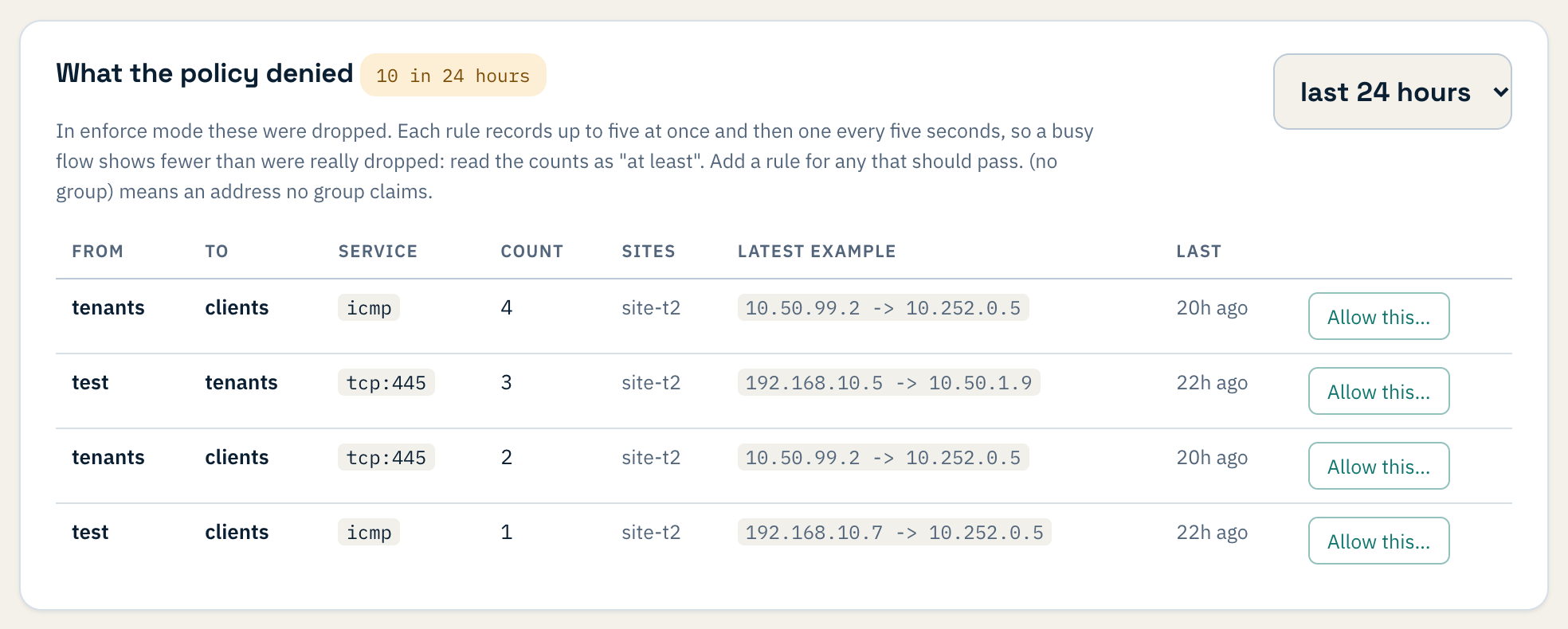
Each row is one kind of refused traffic:
- From and To are your own groups, such as Finance, Printers or Guests. An address no group claims shows as (no group), which is usually the first thing worth fixing.
- Service is the protocol and port, for example
tcp:445for file sharing. - Count, Sites and a latest example show how often it happened, where, and between which two addresses.
You can look back over the last hour, day or week.
Allow this
If a refused flow should have passed, press Allow this on its row. Weft fills in the rule for you: from group, to group, protocol and port.
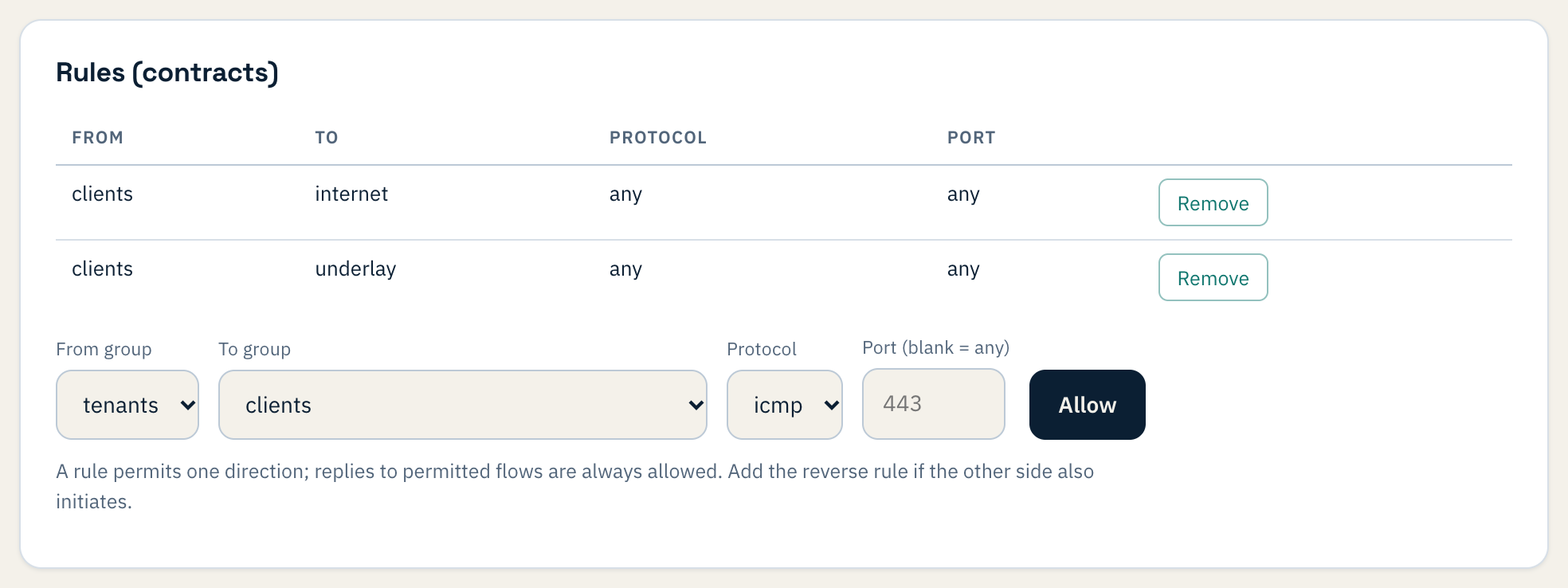
Nothing opens until you press Allow. Then the new rule goes to one site first, and to the rest only once that site stays healthy, like every other change in Weft.
Try a policy before it blocks anything

Policy has three modes:
- Off: nothing is enforced.
- Log: nothing is dropped, and the list shows everything the policy would refuse.
- Enforce: refused traffic is dropped, and still listed.
The safe way in is to run Log for a day, press Allow this on the flows that should pass, and switch to Enforce when the list goes quiet. Under Enforce, the internet needs a rule too, so add one for the groups that should reach it before you switch.
One detail about the counts under Enforce: each rule records a burst of refusals and then one every few seconds, so the kernel log can't be flooded. A very busy flow therefore shows fewer than were really dropped. Read the counts as "at least".
Where it comes from
Each Weft site counts the connections its own policy refuses, minute by minute, and reports them with its regular check-in. The console keeps a week of them. Nothing is sent anywhere else, and the records are counts and addresses, not traffic.
The policy page, groups and rules are covered in network segmentation. To look round the console itself without signing up, see the demo console.